


Put your link where decisions happen—bios, navigation menus, product pages, banners, and pinned comments. Always include your affiliate token with (or ?lover=YOUR_TOKEN if the page already has ?). Link your Artist Shop in site headers; use Product Deep Links inside posts and product pages.?lover=YOUR_TOKEN
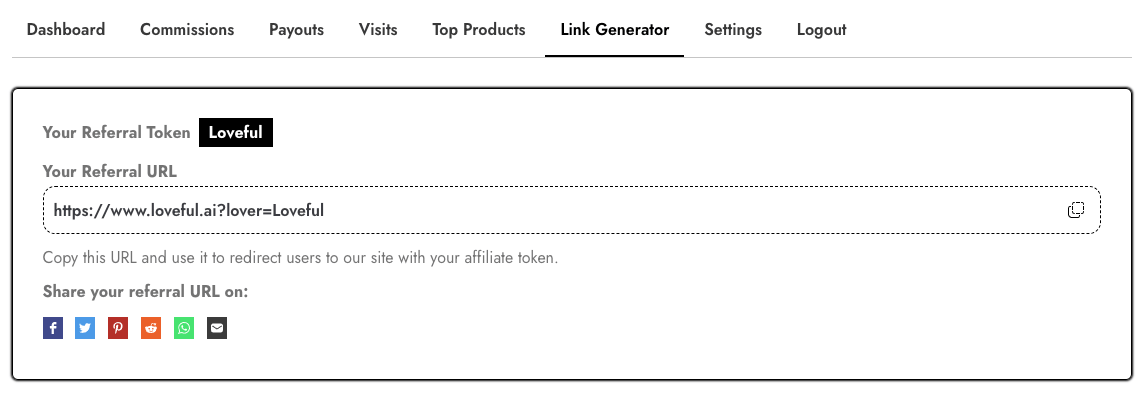
1) Your Two Most Valuable Links
A) Your Artist Shop (evergreen)
Pattern
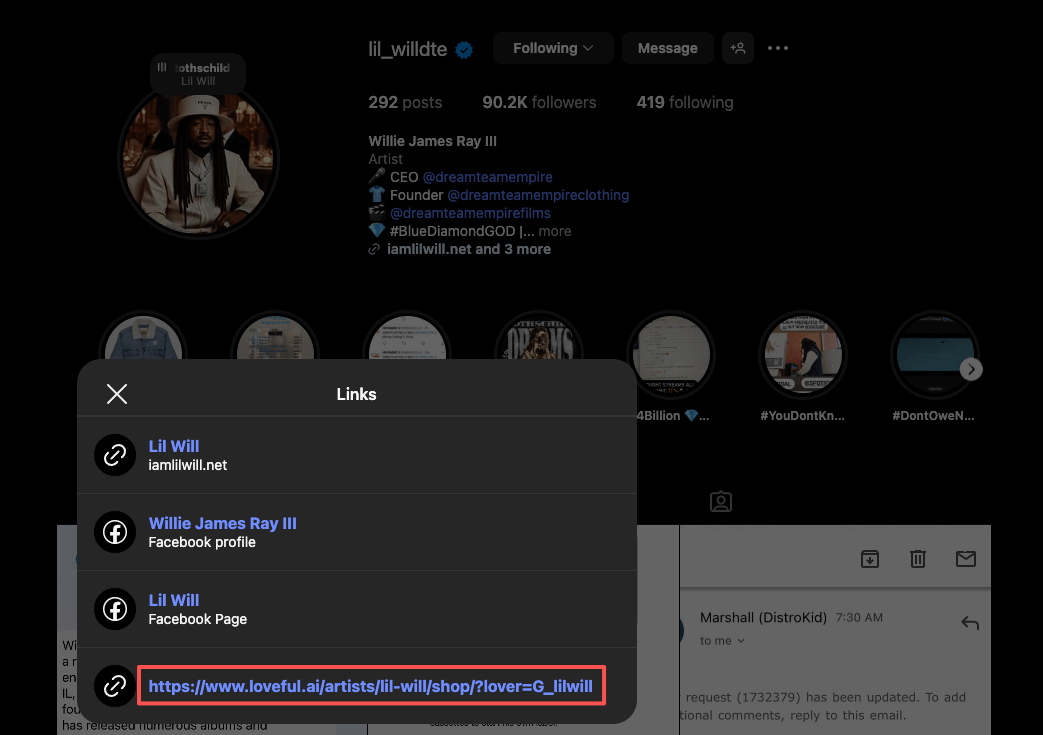
https://www.loveful.ai/artists/{Artist-Slug}/shop/?lover={YOUR_TOKEN}
Best uses: site navigation, link-in-bio (Linktree/AllMyLinks), sidebar “Shop My Designs” banner, email footer/newsletter header.
B) Your Product Deep Link (specific page)
Example
https://www.loveful.ai/gifts/polished-silver-ring-classic-vintage-square-689db3d19c822/?lover={YOUR_TOKEN}
Best uses: blog & social posts about that exact piece, “Shop this piece” buttons on your own product pages, video descriptions, cart/thank-you cross-sell blocks.
Do not remove or edit the lover= token—it’s how LOVEFUL credits sales to you.
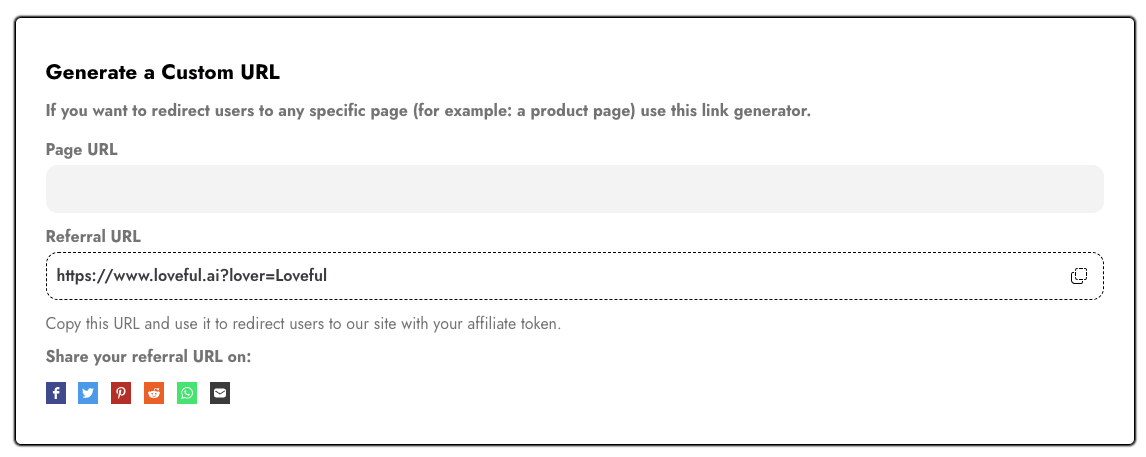
2) Build Perfect Links in Seconds (Link Generator)
- Go to Affiliate Dashboard → Link Generator.
- Artist Shop: paste your shop URL (without the token) into Page URL; copy the generated link with
?lover=YOUR_TOKEN. - Products: paste any LOVEFUL product page; copy the generated Referral URL with your token.
3) High-Converting Placements
Use your Artist Shop link here:
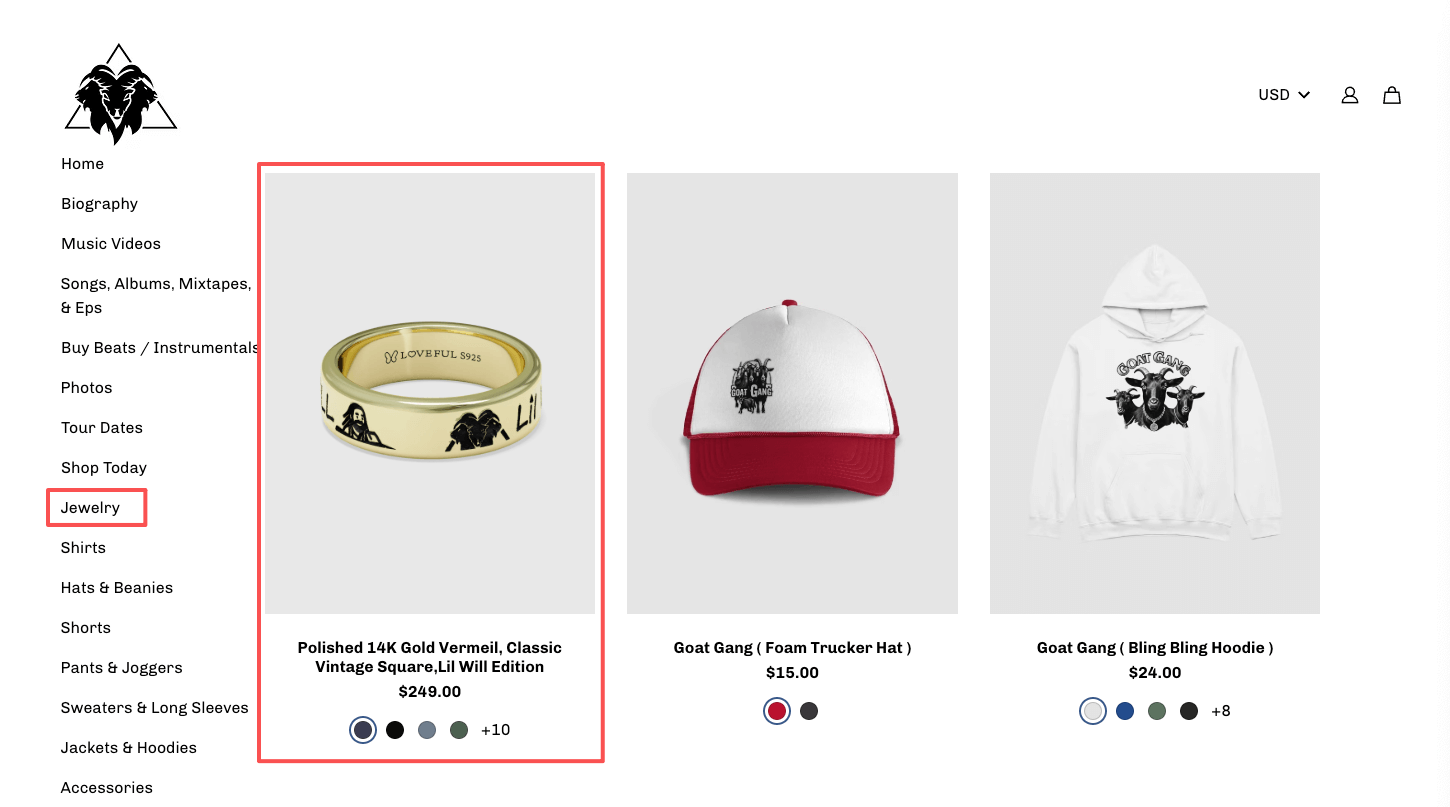
- Navigation (Header): “My Jewelry Shop” →
https://www.loveful.ai/artists/{Artist-Slug}/shop/?lover={YOUR_TOKEN} - Sidebar banner: “Shop My Art Jewelry on LOVEFUL”
- Link in bio: first button
- Email signature: “Wearable art Jewelry, made from my sketches”
Use your Product Deep Link here:
- Blog post featuring that piece (“Shop this ring →”)
- YouTube/TikTok top description lines + pinned comment
- Instagram Stories Link Sticker (“Get this exact piece”)
- Cart / Thank-you page cross-sell
4) Copy-and-Paste CTAs & Captions
- Shop my LOVEFUL Artist Shop →
- Get this exact piece on LOVEFUL →
- Turn your art into wearable stories →
YouTube/TikTok (with disclosure):
Affiliate/Sponsored: Shop my LOVEFUL Artist Shop here: YOUR_SHOP_LINK. I may earn a commission at no extra cost to you.
IG caption:
I sketched it. LOVEFUL turned it into a ring. Want the same vibe? Shop my Artist Shop: YOUR_SHOP_LINK #ad
Blog inline: Want this exact piece? Shop it on LOVEFUL →
5) How to Add LOVEFUL Affiliate Links in Shopify
Goal: Add your LOVEFUL Artist Shop link to key Shopify surfaces (menus, announcement bar) and use Product Deep Links in content and product pages. Always keep your token: ?lover={YOUR_TOKEN}.
1) Add Your Artist Shop Link to Navigation
- Shopify admin → Online Store → Navigation → Main menu
- Add menu item → Name: My Jewelry Shop → Link:
https://www.loveful.ai/artists/{Artist-Slug}/shop/?lover={YOUR_TOKEN} - Save. (Optional) Repeat in Footer menu.
Why: Your Artist Shop link is evergreen and belongs in your main menu so visitors can always find it.
2) Use the Announcement Bar for Always-On Promotion
Most Shopify themes include an announcement bar at the top of every page. Set the text and link it to your Artist Shop:
✨ Wear my art — Shop on LOVEFUL →
Link: https://www.loveful.ai/artists/{Artist-Slug}/shop/?lover={YOUR_TOKEN}
Tip: Rotate seasonal messages (e.g., Valentine’s, Graduation) but keep the same tracked link.
3) Add Product Deep Links to Your Store
Drive shoppers to a specific LOVEFUL product page when you highlight a particular piece.
Example Deep Link
https://www.loveful.ai/gifts/polished-silver-ring-classic-vintage-square-689db3d19c822/?lover={YOUR_TOKEN}Where to place Product Deep Links
- On your product pages: Add a secondary button under “Add to Cart” — “Customize this on LOVEFUL →”
- In your Shopify blog posts: “Want this exact design? Shop it on LOVEFUL →”
- Cart / Thank-you page: Small cross-sell block “Looking for one-of-a-kind jewelry? Visit my LOVEFUL Shop →”
4) Example Button (Custom HTML/Liquid Section)
Use a Custom Liquid or Custom HTML block in your theme to add a tracked button:
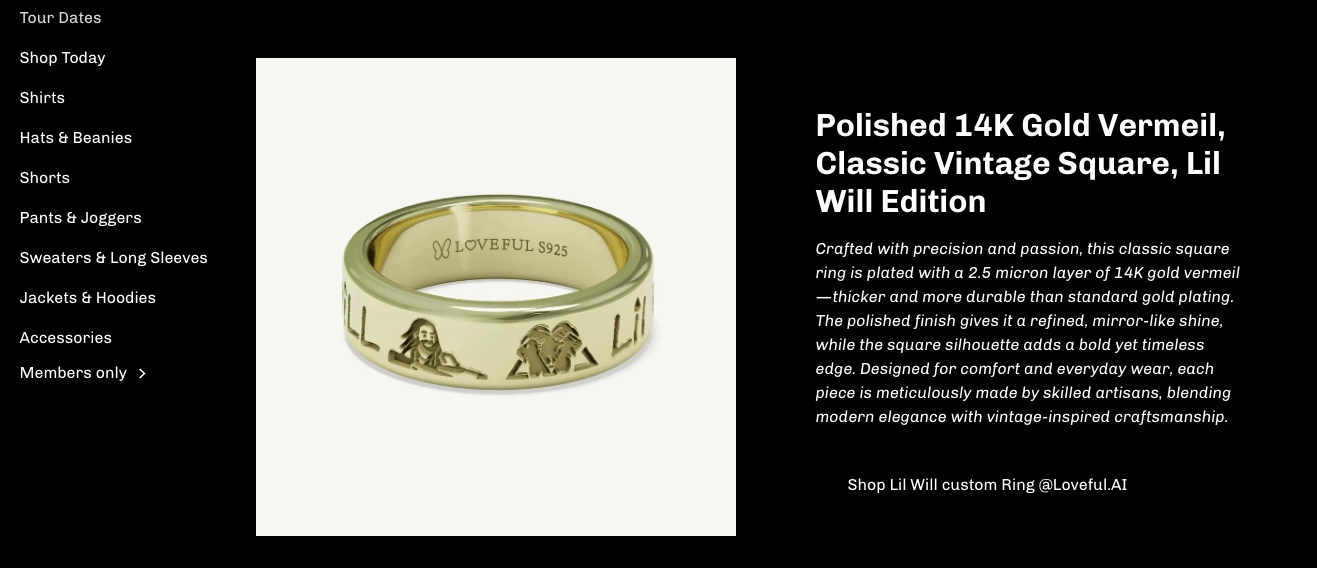
<a href="https://www.loveful.ai/gifts/polished-silver-ring-classic-vintage-square-689db3d19c822/?lover={YOUR_TOKEN}" target="_blank" rel="sponsored nofollow noopener" class="btn btn--secondary">Shop this piece on @Loveful.AI →</a>Style note: Replace the class with your theme’s secondary button class (e.g., button button--secondary).
5) Tracking & Best Practices
- Always keep
?lover={YOUR_TOKEN}. If a URL already has?, append with&lover={YOUR_TOKEN}. - Open in a new tab:
target="_blank"; mark affiliate links:rel="sponsored nofollow noopener". - (Optional) Add UTM tags for analytics:
&utm_source=shopify&utm_medium=affiliate&utm_campaign=2025Q3 - Placement strategy: Artist Shop link = menus/announcement bar (evergreen); Product Deep Links = product pages, blog posts, and promos (contextual).
Pro tip: Keep utm_source consistent (e.g., shopify-nav, shopify-blog,
6) Tracking (Optional but Helpful)
If you use UTM tags, attach them after your token to see which placements work best.
https://www.loveful.ai/artists/Artist-Slug/shop/?lover=YOUR_TOKEN&utm_source=nav&utm_medium=affiliate&utm_campaign=2025Q3
https://www.loveful.ai/gifts/polished-silver-ring-classic-vintage-square-689db3d19c822/?lover=YOUR_TOKEN&utm_source=blog&utm_medium=affiliate&utm_campaign=2025Q3
7) Content Angles That Convert
- Before → After: sketch to finished piece (unboxing)
- 30-second tutorial: upload → preview → wear
- Storytelling: person/pet/date behind the design
- Gift moments: anniversaries, graduations, weddings
- UGC collabs: pick a follower’s drawing to make IRL
- Seasonal themes: Valentine’s, Mother’s Day, Christmas
8) Disclosures & Brand Voice
- Disclosure examples: #ad #affiliate I may earn a commission if you use my link. / This post contains affiliate links. If you buy via my link, I may receive a commission at no extra cost to you.
- Tone: warm, encouraging, creator-friendly.
- Core line to echo: Create Love. Wear Joy.
9) One-Hour Setup Checklist
- Add My LOVEFUL Shop to your site header (Artist Shop link).
- Add a Shop this piece button to at least one product page (Product Deep Link).
- Update bio/Linktree with your Artist Shop link.
- Publish one Before→After short + pin your Product Deep Link.
- Keep a simple spreadsheet of placements + UTM sources.
10) Final Call to Action
Add your Artist Shop link to your navigation today, and place Product Deep Links wherever you feature specific pieces. That’s how you get every click tracked—and every sale credited.
Create Love. Wear Joy. Help your audience wear their stories—starting now.